Prolific PL2303 USB-GPIO1.0.0.3
Publisher Description
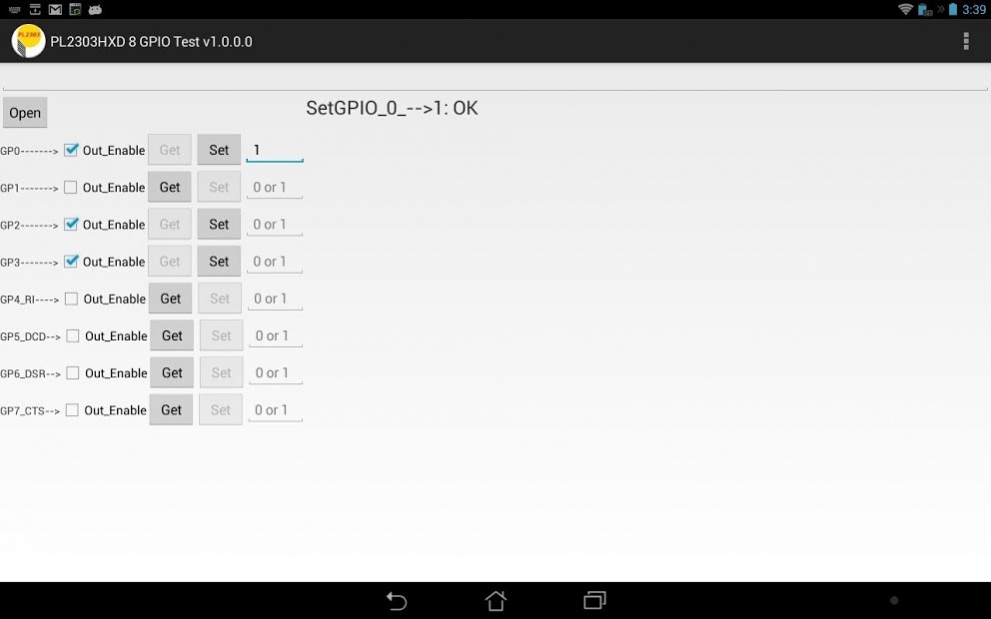
PL2303HXD / EA / RA has 8 software controllable “General Purpose Input Output, GPIO” control signals pin, you can use this API to control
-direction: input or output
-logic level: high or low
GPIO Pin define:
1. GP0
2. GP1
3. GP2
4. GP3
5. GP4--RI (*)
6. GP5--DCD(*)
7. GP6--DSR(*)
8. GP7--CTS(*)
(*): In general, serial port control input signals - CTS, DCD, DSR and RI are used as MODEM control signals , However, if the MODEM control signal are not needed, these signal could be used as general-purpose input/output signal(GPIO)
You can download the source code from Prolific web-site, and then develop your own android application
Requirements:
---------------------
- USB Device with PL2303HXD, PL2303EA or PL2303RA controller chip
NOTE: PL2303HXA and PL2303XA are not supported (Discontinued Products)
- Android-Powered Device (Tablet/Phones) with USB Host Mode Support
- Android 3.2 and above OS versions
About Prolific PL2303 USB-GPIO
The company that develops Prolific PL2303 USB-GPIO is Prolific Technology Inc.. The latest version released by its developer is 1.0.0.3. This app was rated by 1 users of our site and has an average rating of 4.0.
To install Prolific PL2303 USB-GPIO on your Android device, just click the green Continue To App button above to start the installation process. The app is listed on our website since 2015-02-03 and was downloaded 84 times. We have already checked if the download link is safe, however for your own protection we recommend that you scan the downloaded app with your antivirus. Your antivirus may detect the Prolific PL2303 USB-GPIO as malware as malware if the download link to tw.com.prolific.pl2303hxdgpio is broken.
How to install Prolific PL2303 USB-GPIO on your Android device:
- Click on the Continue To App button on our website. This will redirect you to Google Play.
- Once the Prolific PL2303 USB-GPIO is shown in the Google Play listing of your Android device, you can start its download and installation. Tap on the Install button located below the search bar and to the right of the app icon.
- A pop-up window with the permissions required by Prolific PL2303 USB-GPIO will be shown. Click on Accept to continue the process.
- Prolific PL2303 USB-GPIO will be downloaded onto your device, displaying a progress. Once the download completes, the installation will start and you'll get a notification after the installation is finished.
Program Details
System requirements
Download information
Pricing
Version History
version 1.0.0.3
posted on 2015-02-03
Support Android 5.0
